Skip to content

About the Platform

  1. Who is behind it?

    The Letter Library is part of the typography network of Schriftkontor Ralf Herrmann with 20 years of experience in running educational typography websites.

  2. Who has access?

    After the public release in August 2023, anyone can now create an account to explore the archive, add information or scans, ask questions, get in touch with libraries and collectors and so on. All content will be curated by experts to ensure consistence and correctness. Accounts can be set up for invidual users or in the name of organizations.

    Access to the type specimen data is free. Only hi-res download are limited to paid accounts.

  3. Who is it for?

    The Letter Library can be used by groups such as:

    • design students who want to learn about font and graphic design styles

    • type designers who want to study or revive letterpress fonts

    • researchers in fields such as cultural studies, history and design

    • and anyone who enjoys typography and letterforms

  4. What does the Letter Library collect?

    The focus of this online archive is on type specimens issued by type foundries. We create a catalog of all publications in this area: printed type specimens, PDF type specimens and videos.
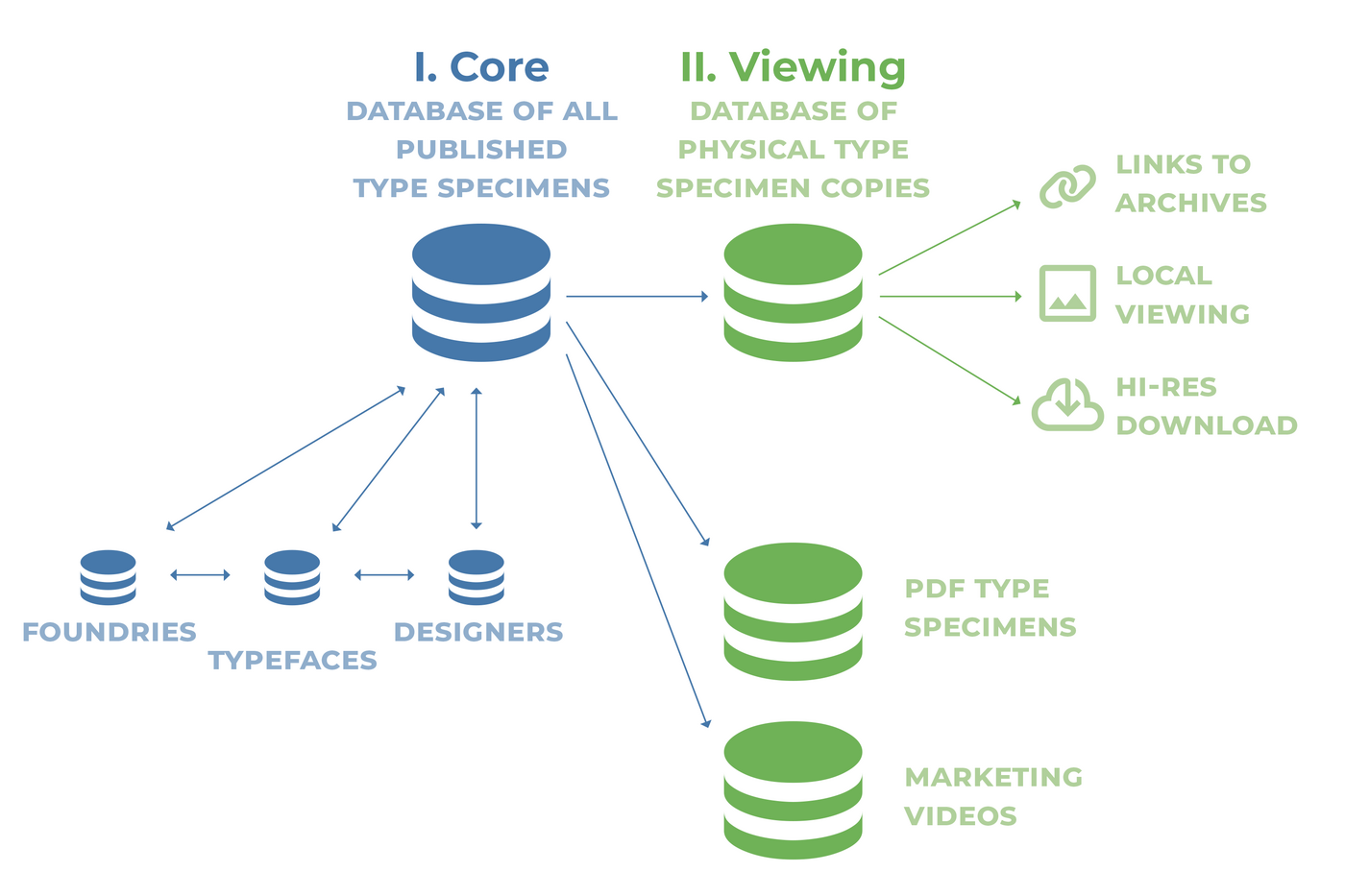
    schema.png

    Related content, like typeface ads, font pictures, sketches and other production materials are collected in the Stacks section.

  5. What is the Letter Library platform?

    Information about type specimens and scans of type specimens are scattered across the internet. The goal of the Letter Library is to bring the information and materials together in one place, so they can be properly searched, studied and preserved. To achieve this, the Letter Library will partner with libraries, archives, museums and private collectors who can make information about their type specimens or the type specimens themselves accessible through our website.

Important Information

We are placing functional cookies on your device to improve the usability of this website.

Account

Navigation

Search

Search

Configure browser push notifications

Chrome (Android)
  1. Tap the lock icon next to the address bar.
  2. Tap Permissions → Notifications.
  3. Adjust your preference.
Chrome (Desktop)
  1. Click the padlock icon in the address bar.
  2. Select Site settings.
  3. Find Notifications and adjust your preference.