



Blackletter designs using a Textura skeleton, but in a simplified form.
Linked Typefaces:

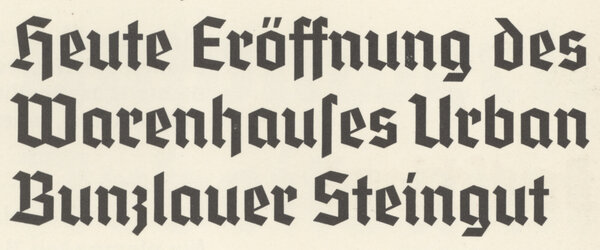
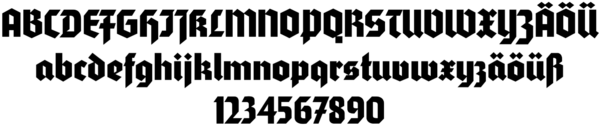
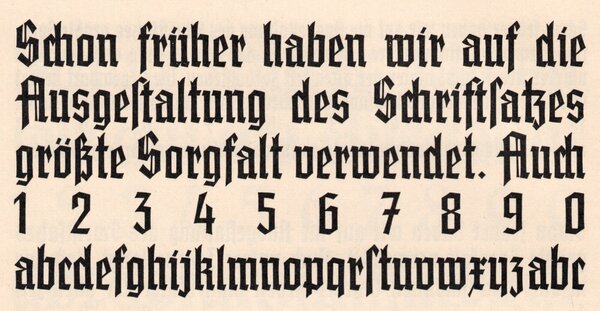

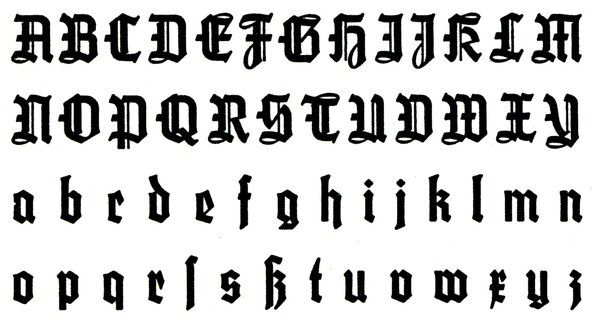


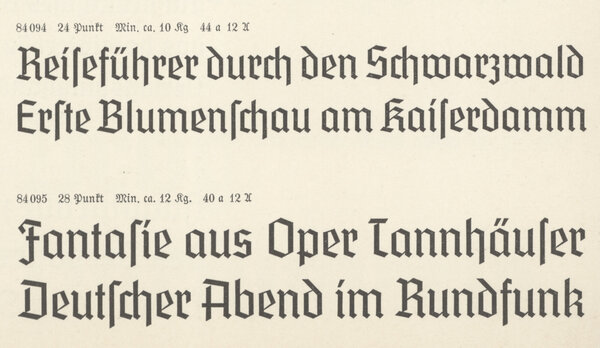


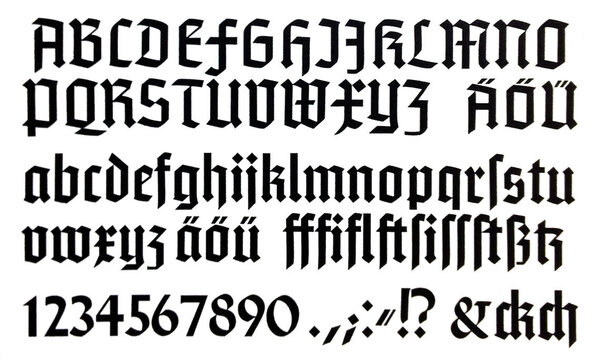

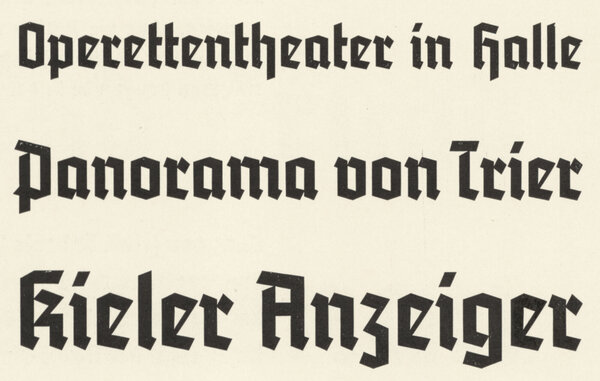

Armin Gotisch // LLT475
Armin Gotisch is a typeface designed by Fritz Müller, published by Schriftguß AG vormals Brüder Butter
Armin Gotisch is a typeface designed by Fritz Müller, published by Schriftguß AG vormals Brüder Butter

Deutschland // LLT198
Deutschland is a typeface published by H. Berthold AG
Deutschland is a typeface published by H. Berthold AG
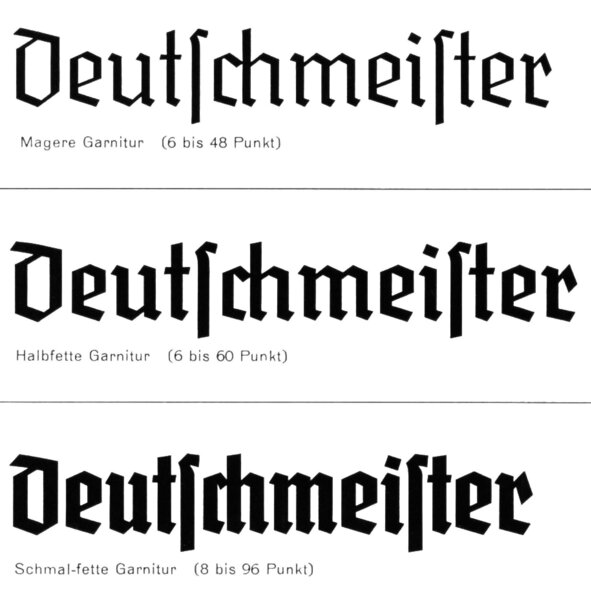
Deutschmeister // LLT44
Deutschmeister is a typeface published by Ludwig Wagner
Deutschmeister is a typeface published by Ludwig Wagner
Element // LLT695
Element is a typeface designed by Max Bittrof, published by Bauersche Gießerei
Element is a typeface designed by Max Bittrof, published by Bauersche Gießerei
Germroth-Schrift // LLT2702
Germroth-Schrift is a typeface designed by Georg Germroth, published by Ludwig & Mayer
Germroth-Schrift is a typeface designed by Georg Germroth, published by Ludwig & Mayer
Gotenburg // LLT2393
Gotenburg is a typeface designed by Friedrich Heinrichsen, published by D. Stempel AG
Gotenburg is a typeface designed by Friedrich Heinrichsen, published by D. Stempel AG

Jochheim-Deutsch // LLT595
Jochheim-Deutsch is a typeface designed by Konrad Jochheim, published by Wilhelm Woellmer
Jochheim-Deutsch is a typeface designed by Konrad Jochheim, published by Wilhelm Woellmer
Kurmark // LLT257
Kurmark is a typeface published by Norddeutsche Schriftgießerei
Kurmark is a typeface published by Norddeutsche Schriftgießerei

Kursachsen // LLT523
Kursachsen is a typeface designed by Peterpaul Weiß, published by Schriftguß AG vormals Brüder Butter
Kursachsen is a typeface designed by Peterpaul Weiß, published by Schriftguß AG vormals Brüder Butter
Marienburg // LLT977
Marienburg is a typeface published by Genzsch & Heyse
Marienburg is a typeface published by Genzsch & Heyse
National // LLT884
National is a typeface designed by Walter Höhnisch, published by Ludwig & Mayer
National is a typeface designed by Walter Höhnisch, published by Ludwig & Mayer

Potsdam // LLT360
Potsdam is a typeface designed by Robert Golpon, published by J. D. Trennert & Sohn
Potsdam is a typeface designed by Robert Golpon, published by J. D. Trennert & Sohn

Sachsenwald // LLT2813
Sachsenwald is a typeface designed by Berthold Wolpe, published by Monotype
Sachsenwald is a typeface designed by Berthold Wolpe, published by Monotype
Standarte // LLT1150
Standarte is a typeface published by Schelter & Giesecke
Standarte is a typeface published by Schelter & Giesecke

Staufia // LLT1342
Staufia is a typeface published by C.E. Weber
Staufia is a typeface published by C.E. Weber
Tannenberg // LLT2363
Tannenberg is a typeface designed by Erich Meyer, published by D. Stempel AG
Tannenberg is a typeface designed by Erich Meyer, published by D. Stempel AG

Recommended Comments
Create an account or sign in to comment